
Academic Super Bowl – Social Studies
The Social Studies Academic Super Bowl Team provides students the opportunity to study historical topics by reading college-level texts. It teaches students close-reading skills. Students also have the opportunity to compete for a state championship on a highly successful team.
Academic Super Bowl – Science
Science Academic Super Bowl:
Test your knowledge in biology, chemistry, and physics. The content also includes information on famous scientists of the time.
Coach: Amy Tiebout (atiebout@phm.k12.in.us)
Fill out this form to get on the email list and to join!
MEETS: Wednesday afternoons starting in October, 3:25-4:15 p.m. in Room 266 (in the science lab above the weight room)
Academic Super Bowl – Math
Improve math skills, do challenging math problems, and compete against other schools academically.
Eligibility Requirements: Interest in and strength in math.
Sponsor/Coach Name: Paul McClelland
Meets When: October to April, Tuesdays from 3:30-4:15 p.m.
Where: Room 206.
Membership Limit: none.
Procedure for Joining: Contact sponsor and attend practices.
Academic Super Bowl – Fine Arts
We research different art and music topics. For example, we study artists that are typical of a time period or culture and learn about their art and lives. We study the music and musicians for that period and sometimes also study the jewelry or furniture or architecture for that period.
Academic Super Bowl – English
This team is designed to prepare for the state competition of the English Academic Super Bowl. Students will read novels, non-fiction, and poetry surrounding a selected topic. During meetings we discuss the text, prepare practice questions, answer questions, and prepare for competition. Not all students will participate in competitions, but will be an active support for the competing team.
College Application Information
College Applications:
Every college and university will have its own application process, deadlines, and requirements but this page will review the most common options for students applying to college.
College applications are almost exclusively completed electronically. The two most frequently used digital applications are the Common Application and a school specific application (meaning its only used for that particular school). To find out what application a specific college uses, visit their website or search for the institution in Naviance. The Common Application is an electronic application that can be submitted to thousands of different schools without having to redo the generic application process each time. Some colleges will have additional procedures to complete within the Common Application, but the framework of the basic application is the same.
If you have free/reduced status at school, you may be eligible to waive the application fee. These can be requested through the Common Application or the Counseling Center.
When applying via the Common Application or directly to an institution through a school specific application, there are several key steps to ensure your application is documented in Naviance. For a video tutorial on adding colleges to your application list in Naviance, watch this video.
- When applying directly to an institution, students can submit their completed application whenver completed. Once submitted, students should add that college to their “Colleges I’m Applying to” list in Naviance. While adding the college to Naviance, students should also make an initial transcript request (described below).
- When applying to a college through the Common Application, students should NOT submit their applications until after having matched their Common App and Naviance accounts. See this video for a tutorial. Matching the accounts will allow all colleges added in Common App to migrate to each student’s Naviance account. Once the colleges are listed in Naviance, students should make a transcript request for that school (described below). Students should NOT manually add a Common App school to their “Colleges I’m Applying to” list in Naviance, that will happen when the accounts are matched (it could take 2-3 days for colleges to migrate). Once the accounts are matched and correctly listed, students may then start to submit their Common Applications.
Naviance (transcript requests):
- Naviance is your one stop shop for all your college document needs! Once you’ve gotten through your application work, it’s now time to start requesting your initial transcript. For a video tutorial on that process, see this video.
- Do not request school reports through Common Application, those forms and processes will be completed by your counselor in Naviance.
- Current students should NOT use Parchment to request high school transcripts. However, PHS alumni may still make requests using Parchment.
SAT/ACT Test Scores:
- Contact SAT (www.collegboard.org) or ACT (act.org) and request that your scores be sent to the colleges to which you have applied. Scores must be sent directly from the testing center.
PLEASE NOTE: Penn does NOT send paper copies of transcripts to colleges. All transcripts are sent electronically through Naviance. If there are circumstances in which a college must receive a paper copy, please contact your counselor or the College and Career aid.
Penn High School Writing Center
Welcome to the Penn High School Writing Center. We are located just above the IMC, and we occupy an airy space with many windows and over a hundred computers. Teachers bring their classes here for a variety of reasons, and in our writing center, the Penn staff tries to keep writing central to our endeavors.
Mary Nicolini is the director of the Writing Center, and Mila Pierce is her assistant. If you have questions about the software we use, the hours we are open, or how you can get help as a Penn student, please contact us, and we will get right back to you.
The content of this website is generated collaboratively by students and teachers, and we will work throughout the year to keep it updated. Thank you for stopping by, and keep writing!
The Writing Center Staff
Writer’s Inc.
Works Cited Entries:
Passwords
PHS students must change the password they use to access their folders on the server every 90 days for security reasons. When it is time for you to change your password, you'll see a message on the screen about having a certain number of grace logins left. When you see this message, you must change your password! Don't wait until you think you'll still have one grace login left, because when you run out of grace logins you will be locked out of your account. You won't be able to login to do word processing or even get on the Internet. That means you’ll have to make a trip to the IMC/ITC to get it changed by one of the staff. It always seems like those last few grace logins disappear too quickly on you, so don't postpone changing your password–do it as soon as you see the message that your password has expired!
PINNACLE PASSWORDS
Your parents will receive a letter in the mail that will have your new Pinnacle password in it. Save that letter and write your password down on your agenda so that you will have it with you when you're in school. Many of your teachers will require you to look at your grades during the school day, so you need to have that password in your agenda where you can access it quickly. You will receive a brand new password each year and that password cannot be changed. It is your responsibility to keep track of that password! If you lose it, you'll have to go to the IMC/ITC to ask the staff to look it up again, but they can only do that as time allows and you must have your picture ID and agenda with you, otherwise they cannot give you your password.
Digital Initiative Center
Penn High School's vision for digital learning builds upon our continued emphasis on quality instruction. This is not a technology initiative but rather it is a learning initiative. Our digital tools will be embedded in the rich content of literacy instruction – well planned reading, writing, speaking and listening assignments. We are simply marrying our tried and true rigor, relevance, and relationships with technology.
The digital initiative at Penn High School is off to a great start. Teachers and students are using Chromebooks in a blended environment. This blended environment makes the most of instruction from well-trained teachers supported with online materials. Students and teachers are working collaboratively with almost instantaneous feedback from their instructors as well as their peers. Students are also learning how to evaluate online resources. Students and teachers are also collaborating outside of class working on long-term problem-based projects and performance tasks. In all of our classrooms students are moving from a myopic view of limited sources to a pluralistic view with changing digital sources. Finally, students are producing content by creating papers, videos, instructional web pages, blogs and podcasts.
 |
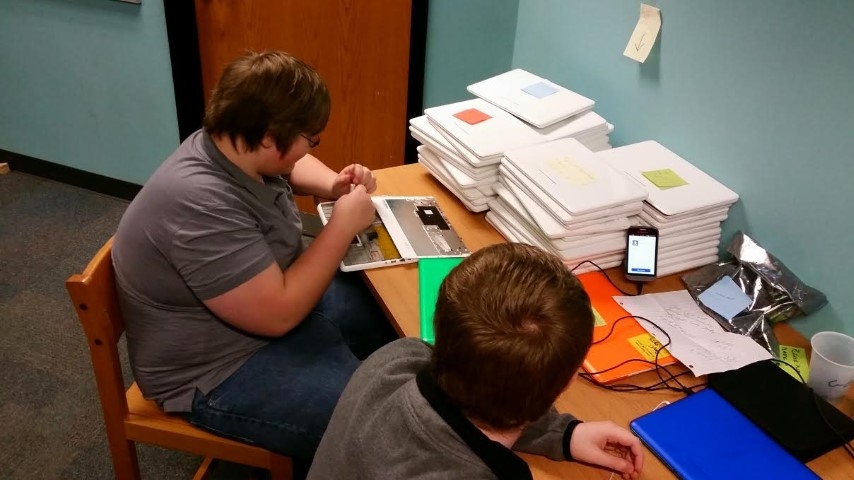 |
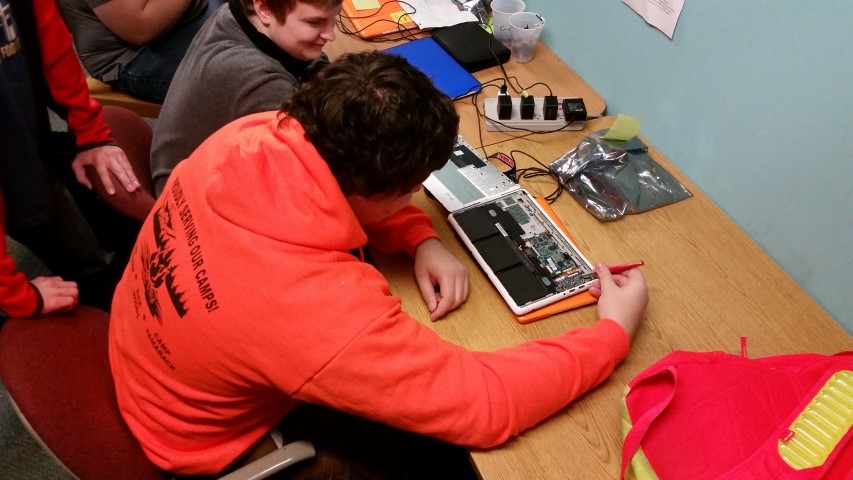
Computer Support Internship (CSI)
Course Description: Computer Support Interns will learn how to troubleshoot computers and maintain technology equipment. Objectives of this course include IT support for teacher laptops, student & teacher Chromebooks and maintaining the technology infrastructure to help meet Penn High School technology needs all while incorporating interpersonal communication skills when dealing with staff.Day to Day Workings: Students may sign up for this class in their sophomore, junior, or senior year. Students will report to the ITC (in the IMC) during their CSI time during school day. During their class period, students will mainly be dealing with staff and students and helping them with their technology issues. If a student is not meeting with a staff member or student,they will be troubleshooting and working on fixing Chromebooks.